Complex Number & Matrix Calc1.7.2
Publisher Description
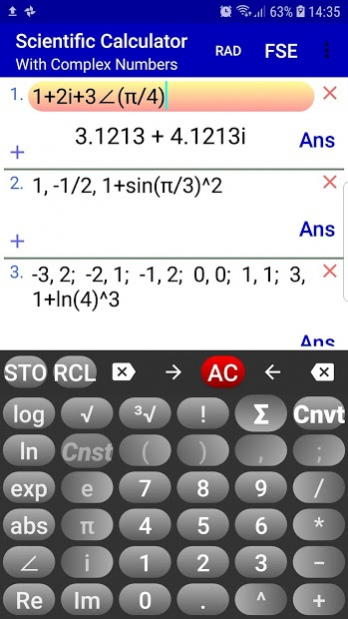
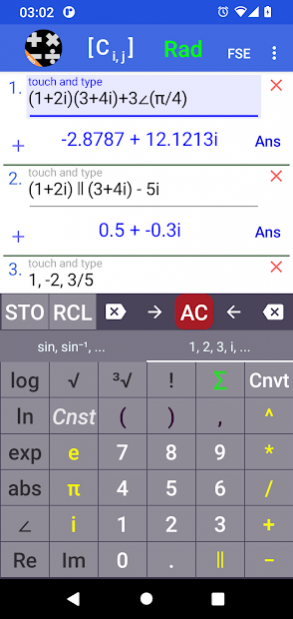
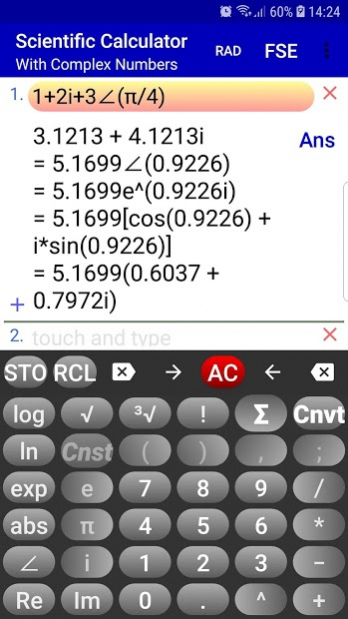
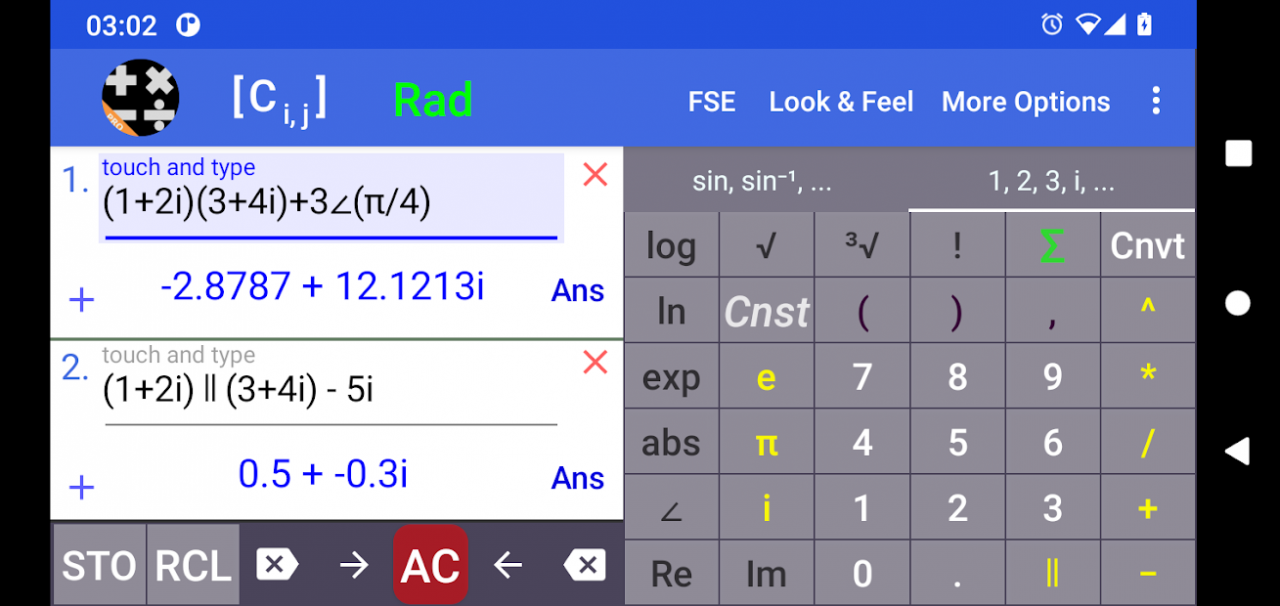
This free scientific calculator can be used to evaluate numeric and also matrix expressions containing real, imaginary or, in general, complex numbers in any form such as
(1/2 + 2i )(3 + 4i) + 3∠(π/4) + sin(i)cos(2 + 3i)^(4 - 2i)
which can also be used for matrix entries.
Swipe number pad to display trigonometric, hyperbolic & other functions.
You can use all standard mathematical functions & operations:
• Addition, subtraction, multiplication, division, exponentiation, parallel summation
• Power, exponential & logarithmic functions
• Trigonometric functions and their Inverses
• Hyperbolic functions and their Inverses
• Gamma function, Γ
• Psi function, Ψ
• Zeta function, ζ
Matrices & linear Systems
• Perform matrix algebra.
• Accepts any size matrix
• Determinant, inverse, rank, adjugate, reduced row echelon form, triangular forms
• Augmented matrix
• Solve linear systems
• Shows work.
With it's unique and intuitive user interface, this scientific/complex number calculator computes scientific/mathematical expressions containing complex numbers in standard (rectangular) a+bi and polar (phasor) r∠(θ) forms and optionally converts the result or any complex number in standard form to polar and other modular forms and vice versa
(long press i or ∠ to see all forms of the calculated result).
Scientific/Complex number calculations can be performed in RAD (radians) or DEG (degrees) mode.
The results can be displayed with fixed, scientific and engineering notations.
Other Features
• You can also enter functions f(x) or parametric equations p(t) and generate table of values.
Do statistics with one or two dimensional real data (you can also use expressions of complex numbers for data as long as they evaluate to real numbers):
• x1, x2, …
• x1, y1; x2, y2; …
Press Σ to do the calculations.
• Calculate combinations C(n, r) and permutations P(n, r).
• Scientific constants.
• Unit converter (Mass, Length, Velocity, ...)
This scientific calculator / complex number calculator / complex matrix calculator contains full built-in instructions.
About Complex Number & Matrix Calc
The company that develops Complex Number & Matrix Calc is A.M.I.R. The latest version released by its developer is 1.7.2.
To install Complex Number & Matrix Calc on your Android device, just click the green Continue To App button above to start the installation process. The app is listed on our website since 2022-02-14 and was downloaded 55 times. We have already checked if the download link is safe, however for your own protection we recommend that you scan the downloaded app with your antivirus. Your antivirus may detect the Complex Number & Matrix Calc as malware as malware if the download link to com.gcalcd.calculator.scientific is broken.
How to install Complex Number & Matrix Calc on your Android device:
- Click on the Continue To App button on our website. This will redirect you to Google Play.
- Once the Complex Number & Matrix Calc is shown in the Google Play listing of your Android device, you can start its download and installation. Tap on the Install button located below the search bar and to the right of the app icon.
- A pop-up window with the permissions required by Complex Number & Matrix Calc will be shown. Click on Accept to continue the process.
- Complex Number & Matrix Calc will be downloaded onto your device, displaying a progress. Once the download completes, the installation will start and you'll get a notification after the installation is finished.
Program Details
System requirements
Download information
Pricing
Version History
version 1.7.2
posted on 2022-02-14
Performance improvement / crash fixes.
The calculation bug which produced wrong result for the parallel operator is now fixed.
The matrix entries and other related data are now retained indefinitely - you can delete them at any time.
As previous versions it shows ads.
"non-genuine users": read the Terms & Conditions for using this app at
https://calc-amir.appspot.com/instructions/android-apps/terms-and-conditions.html
version 1.7.1
posted on 2022-02-06
Bugs fix. The buttons for selecting the number of rows of a matrix are now working properly.
As previous versions it shows ads.
Please read the Terms & Conditions for using this app at
https://calc-amir.appspot.com/instructions/android-apps/terms-and-conditions.html
version 1.6.3.3
posted on 2021-05-03
Redundant app permissions (full network access, view network connections) removed (but still used by Google to show ads).
From previous version:
Some tweaks: text/color, vibration
if crashed on update, uninstall and install again or just delete app data.
version 1.5
posted on 2020-06-09
The keypad now slides out when scrolling the input window in portrait orientation to enable you see more expressions to more easily select/deselect them. Touching any expression box brings the keypad back into view. You can change this default behavior: Goto Toolbar/Menu and un-check "Full Screen Scrolling".
Improved representation of some calculated values.
There was a mistake in the link to the ads-free (upgrade) version which is now corrected.
version 1.4
posted on 2020-06-01
Crash fix.
You can now calculate some quantities used in electrical engineering involving complex numbers, i.e., impedance, by selecting expressions (check-boxes are newly added for expression boxes) and long pressing Σ.
You do NOT need internet connection to use this app.
For using this app you acknowledge you have read and agreed to the following terms and conditions
https://sites.google.com/view/gcalcd/home/user-agreement
version 1.3.7.3
posted on 2020-03-31
Bugs fix/performance improvement.
Now non-advanced users can optionally switch to Elementary Complex Calculator for basic operations and automatic conversion between rectangular and polar forms by entering the real and imaginary parts or length and angle separately (rectangular was misspelled as 'rectangulr'!).
version 1.3.7.2
posted on 2020-02-26
Bug fixes.
The calculator should now be working regardless of your device's language setting.
Use the dot for the decimal symbol when typing a number. The calculator displays the result of a calculation using the dot for the decimal symbol and the comma for the thousands-separator regardless of the language setting. This now enables you to use the features of the calculator (STO, RCL, Ans, Cnvt) in any language setting.
if crashed on update, uninstall app and install again.
version 1.3.5
posted on 2019-11-18
Prepared for Android 10 - if crashed on update, try uninstall and install again (or just delete the app data).
Percentage symbol is added. Long press the decimal point to insert %.
Long press e to insert E(), which is the anti-log in base 10, e.g., E(3) = 1000. The function E() accepts complex number expressions as well.
Performance improvement.
Computation bug fixed.
Please read the terms and conditions of using this app on https://sites.google.com/view/gcalcd/home/user-agreement
version 1.3.5
posted on 2019-11-18
Prepared for Android 10 - if crashed on update, uninstall app and install again.
Percentage symbol is added. Long press the decimal point to insert %.
Long press e to insert E(), which is the anti-log in base 10, e.g., E(3) = 1000. The function E() accepts complex number expressions as well.
Performance improvement.
Miscalculation (in degrees mode) of complex numbers corrected.
Please read the terms and conditions of using this app on https://sites.google.com/view/gcalcd/home/user-agreement
version 1.3.5
posted on 2019-11-18
Discounted price : US$0.99 - Regular price US$3.49
Prepared for Android 10 - if crashed on update, uninstall app and install again.
Percentage symbol is added. Long press the decimal point to insert %.
Long press e to insert E(), which is the anti-log in base 10, e.g., E(3) = 1000. The function E() accepts complex number expressions as well.
Performance improvement.
Miscalculation (in degrees mode) of complex numbers corrected.
